Quick Start
Open a display file and see the schema tree and screen preview for the first time.
DSPF-edit turns DDS display-file editing into a visual, live experience right inside VS Code and IBM Bob — see the screen you’re building as you build it, instead of guessing until you compile.
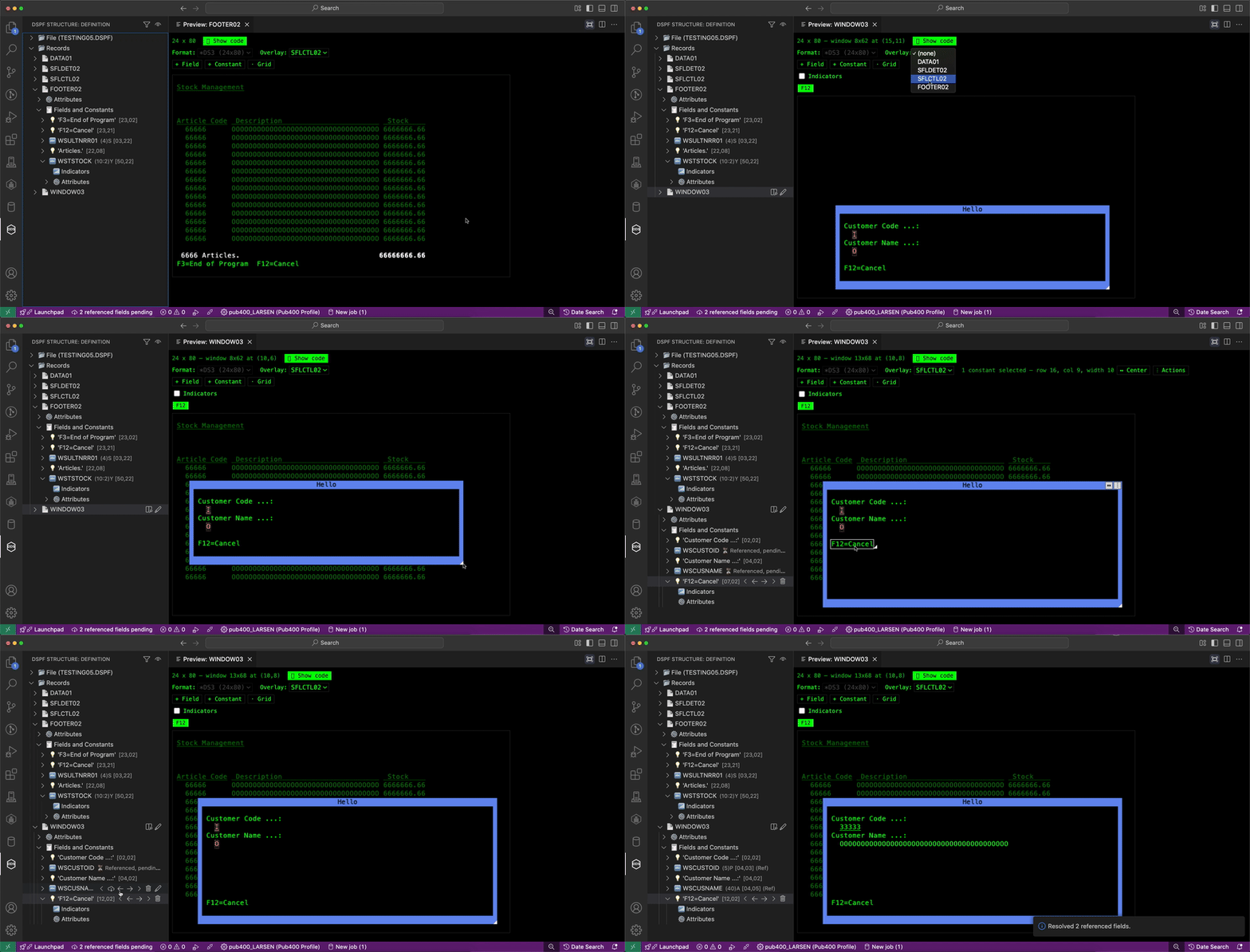
DSPF-edit doesn’t replace your compiler — it closes the gap between writing DDS and seeing the screen it produces, matching real STRSDA behavior field by field, so what you preview is what you get.
| SEU / STRSDA (5250) | RDi | DSPF-edit | |
|---|---|---|---|
| Live visual preview while you edit | ❌ | ⚠️ separate tool/step | ✅ inline, drag to reposition |
| Auto-updating structure/schema view | ❌ | ✅ | ✅ |
| Runs inside VS Code / IBM Bob | ❌ | ❌ (Eclipse) | ✅ |
| Simulate indicators/colors without compiling | ❌ | ❌ | ✅ |
Multiple DSPSIZ formats (*DS3/*DS4) resolved side by side |
❌ | ⚠️ manual | ✅ |
| AND/OR indicator conditions (up to DDS’s 9-indicator limit) built visually | ❌ | ⚠️ manual | ✅ |
Quick Start
Open a display file and see the schema tree and screen preview for the first time.
Schema Tree
Navigate a display file’s structure — file, records, fields, constants — and act on it from the right-click menu.
Screen Preview
A green-screen-style, drag-and-drop preview that stays in sync with the source and the tree.
Fields, Constants & Records
Add, edit, position, condition, and style every element of a record.
Windows & Subfiles
WINDOW records with real positioning, and SFL/SFLCTL previews with paired header/detail records.
Indicators & Conditions
Build AND/OR indicator conditions visually, up to DDS’s 9-indicator limit.